Building My Portfolio Website
— Why I Rebuilt from Scratch and the Tech Behind It
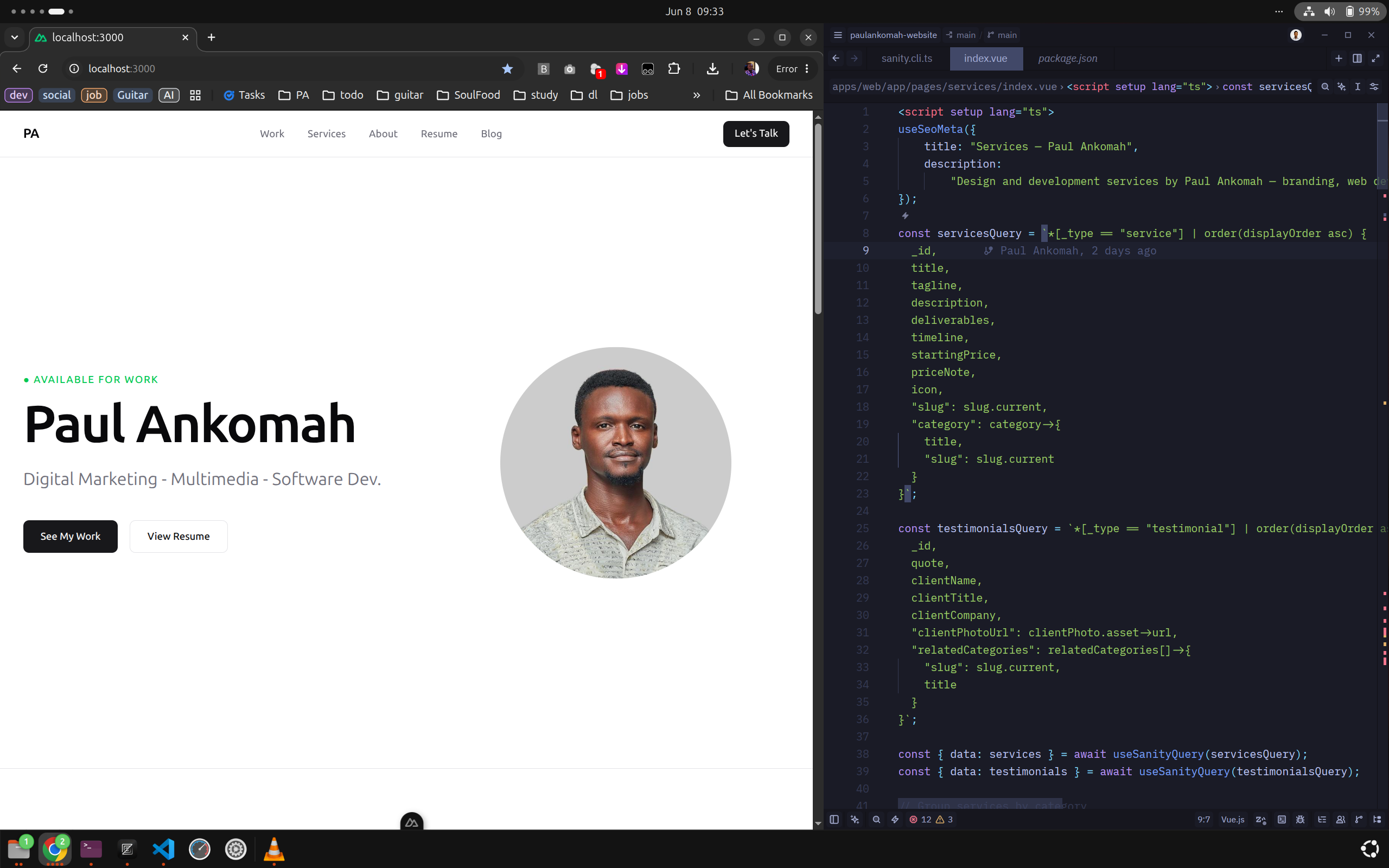
Every creative professional knows the irony: your own portfolio is always the last thing you finish. I've been designing and building things for over 12 years, and for most of that time I got by on referrals, a Behance profile, and a site that had long since stopped representing who I actually am.
This post is a behind-the-scenes look at why I finally built a proper home on the web, what I wanted it to do, and the architectural decisions I made to get there.
The Problem With My Old Approach
My previous online presence was a collection of compromises. Behance handled design work but put my projects in a crowded gallery sitting next to everyone else's. WordPress served a purpose for a while but demanded constant upkeep — plugins to update, a server to babysit, and a templating system I had no enthusiasm for, I used github pages for a while and wished it was came with content management system out of the box.
Neither option reflected what I actually do. My work spans Web & Digital, Photography, Marketing & Advertising, Branding & Identity, and Video & Motion Graphics. Showing all of that without it reading as "jack of all trades" required intentional curation and structure; not a theme.
I also do something slightly unusual: I maintain three distinct professional identities depending on who I'm talking to — Digital Marketing Specialist, Multimedia Designer, and Software Developer. A generic portfolio template wasn't going to handle any of that gracefully.
I needed a site that was:
- Fast and zero-maintenance once deployed
- Easy to update without touching code
- Flexible enough to handle radically different types of work
- Honest about the range of what I do, without being overwhelming
The Role-Specific Resume Feature
Before I get into the tech stack, I want to talk about the feature I'm most pleased with — the Resume page.
I wear many hats. That's a real asset, but it can also confuse a recruiter or client who's looking for one specific thing. My solution: three separate, tailored resumes — one each for Digital Marketing Specialist, Software Developer, and Multimedia Designer — all accessible from a single page.
The copy on that page says it plainly: "I wear many hats. Select a role below to view a resume tailored specifically to that discipline."
Each resume is a separate document in Sanity, scoped to its discipline, so I can update them independently without touching the frontend. A job lead for a development contract gets a resume that leads with my stack and projects. A brand design brief gets one that leads with identity work and visual output. Same person, right context.
Why Nuxt
I've used Nuxt on client projects for a while now, and it's become my default for frontend work. For a portfolio specifically, the static site generation model is the ideal fit: all public-facing pages are pre-rendered to HTML at build time — fast, SEO-friendly, and free to host — while the framework leaves room for dynamic routes when I need them.
Nuxt's file-based routing kept the project structure clean and predictable. Each section of the site (work, services, about, resume, blog) maps directly to a route with no boilerplate configuration. The work filtering you see on the Work page — toggling between Web & Digital, Photography, Marketing & Advertising, Branding & Identity, and Video & Motion Graphics — is handled entirely on the client side from data fetched at build time.
Working in Vue components rather than PHP templates is a genuine quality-of-life improvement for a project I'll maintain long-term.
Why Not WordPress
WordPress is the obvious question. It powers a huge portion of the web, I've built client sites on it, and it can absolutely run a portfolio. So why not?
It's more infrastructure than I need. WordPress is a full application — PHP runtime, MySQL database, plugin ecosystem, admin panel — to serve what is fundamentally a mostly-static site. That stack needs hosting that stays running, a database to maintain, plugins patched against vulnerabilities, and ongoing attention. I wanted something I could largely ignore after launch.
Performance is an uphill battle. A default WordPress install is not fast. Reaching the performance level that a statically-generated Nuxt site delivers by default requires caching plugins, CDN configuration, image optimisation setup, and often fighting against a page builder's bloat. I didn't want to spend time on that.
I'm not the audience WordPress was built for. WordPress is excellent at empowering non-technical editors. I'm comfortable in code — the admin UI adds a layer of abstraction I don't need, and the classic theme architecture isn't where I want to spend my time.
Headless gives me more flexibility. With Nuxt pulling from Sanity, my frontend and content are completely decoupled. I can update the design without migrating content. I could serve the same Sanity data to a mobile app down the line. WordPress's monolithic architecture doesn't offer that cleanly.
That said — for a client who needs an all-in-one editing environment and doesn't touch code, WordPress is often still the right answer. It just wasn't the right answer for this.
Why Sanity
The CMS choice was where I spent the most deliberation. I narrowed it down to Sanity and Strapi.
Strapi is compelling — open source, self-hostable, and I have a VPS that could run it. But self-hosting means owning uptime, backups, and upgrades. For a portfolio I want to set and forget, that's the wrong tradeoff.
Sanity won on several counts:
The Studio works the way I think. Sanity Studio is a React application you configure through code — schemas live in the repo, version-controlled alongside everything else. I can run it locally with sanity dev for a full editing environment without internet, or use the hosted version when I'm away from my machine. Both stay in sync.
GROQ is genuinely good. Sanity's query language lets me shape exactly the response the frontend needs. The work page query asks for only the fields the grid needs. The resume query fetches only the fields for that specific role. Nothing redundant comes over the wire.
The free tier is real. For a personal portfolio, Sanity's free plan is not a crippled trial — it covers everything I need without hitting limits.
The full pipeline looks like this: schemas live in the repo → content lives in Sanity's cloud → Nuxt fetches everything via GROQ queries at build time → Cloudflare Pages serves pure static HTML. A webhook triggers a new build whenever I publish a content change in the Studio.
Hosting: Cloudflare Pages
Cloudflare Pages handles deployment. The free tier gives me unlimited requests, a global CDN, automatic HTTPS, and Git-based deploys with no configuration overhead. Every push to the main branch triggers a build and goes live automatically.
For a static site, this is close to the ideal setup. There's no origin server — the site lives at the edge, distributed globally. It loads fast whether you're in Accra or Amsterdam, and the hosting cost is zero.
Structuring Multidisciplinary Work
One of the harder problems wasn't technical — it was organisational. A decade of work across five disciplines could easily collapse into an undifferentiated showcase. The solution was to filter by the nature of the output rather than by skill:
- Web & Digital — websites and digital products
- Photography — commercial and event coverage
- Marketing & Advertising — campaigns, social content, ad creative
- Branding & Identity — logos, brand systems, visual guidelines
- Video & Motion Graphics — animation, motion graphics, videography
Each category is a Sanity document type. Projects carry a category tag that drives the filter tabs on the Work page. Adding a new project means filling in a form in the Studio — no code touched.
The projects currently live in the portfolio span brand identity systems, corporate photography, website builds, print collateral, and motion work — a reasonable cross-section of what the last few years have looked like.
What's Still In Progress
A portfolio is never actually done. A few things on the list:
- Case studies. Most projects currently show the output. I want to add process documentation — brief, thinking, iterations — for the more involved ones.
- Blog. You're reading post number one. Sanity handles all of it; I just need to write consistently.
- Visual identity. The current UI is intentionally clean and professional — it gets out of the way of the work. But I'm considering a more custom design direction that better reflects my personal brand aesthetic. A portfolio for a creative should probably feel a little more like them.
- Content. There's more to add — projects, service details, and copy that more fully represents the breadth of work. What's live now is a foundation, not a ceiling.
Lessons Worth Sharing
Decouple content from code from the start. Beginning with a headless CMS before you have real content forces you to think about your content model early. Getting the schema right makes everything downstream easier.
Static-first is not a constraint. A Nuxt site pre-rendered from Sanity data loads in milliseconds, has no server to attack, and costs nothing to host. For a portfolio, the tradeoffs are entirely in your favour.
Ship it before it's ready. This site launched with a handful of projects and no blog posts. That's fine. It exists, it's live, and it's already doing more work than the perfect version I kept planning.
If you want to talk through any of the decisions here, or you're building something similar — reach out. The “Let's Talk” button is there for a reason.